The program · where the systems we build run
Ask in chat.
Get the file.
Twixy is the desktop program that produces the actual deliverables of marketing work. It drives a real Chrome to gather the data, then hands you a report, a deck, a sheet, an email. No code. Build it once and it keeps running.
Runs on macOS and Windows. Your logins and client files stay on your machine.
Every Monday, scan competitor Reels in our niche and send me the report.
What it did this morning
- 09:00Opened Chrome, signed in to Instagram
- 09:01Collected 34 Reels across 3 hashtags
- 09:03Sorted by engagement, normalized 12 fields
- 09:04Wrote the brief
Files it left behind
What it makes
Four things come out
Not a chat answer — a file you can open and use.
A real browser run
Logs in, scrolls, clicks, reads. Instagram, YouTube, X, search, e-commerce — anything the web can reach, including pages with no API.
Collected raw data
Sheets and briefs
Fields normalized, sources merged, a written brief on what the data says. The weekly collection job you stopped doing by hand.
.xlsx · .csv · .md
Decks
The recurring report assembled from the run — same structure every time, new numbers. Nothing re-typed.
.pptx · .pdf
Emails and alerts
A draft written off what the run found: the client update, the internal digest, the alert when a number moves.
Draft · Send · Alert
Real runs
How people actually use it
Three real runs. For each one: what was asked, what Twixy did, and the file that came out.
Chrome resolves 2–3 hashtags → collects top Reels per tag → validates the set → writes a trend brief to file.
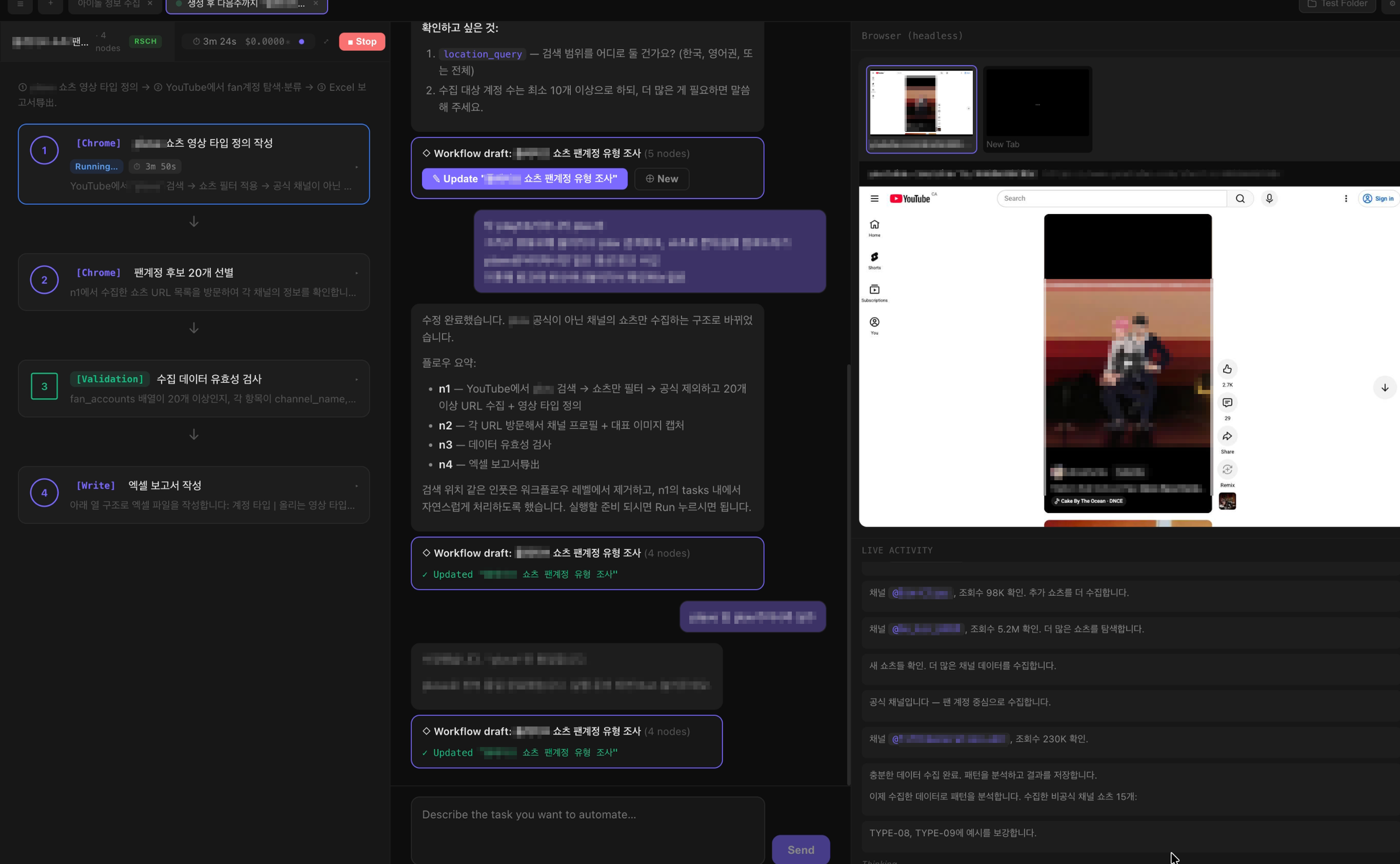
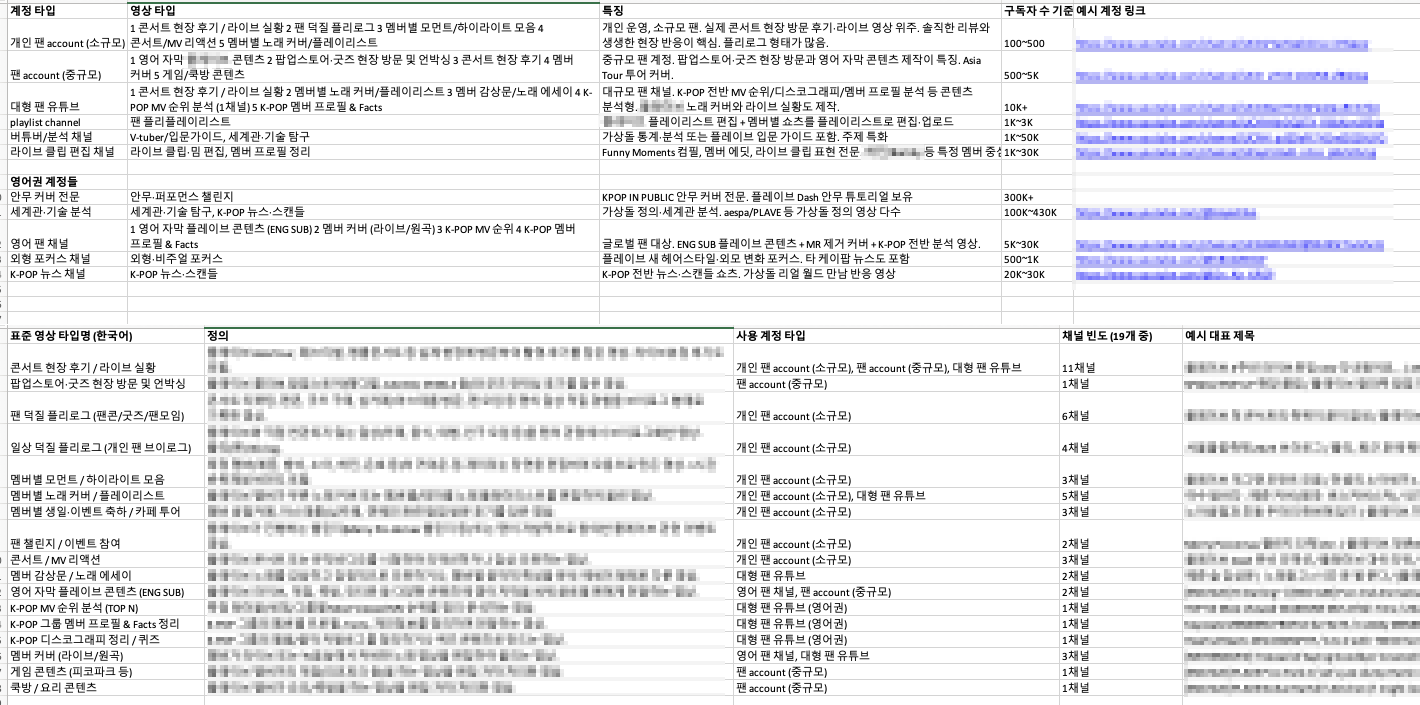
Explores YouTube Shorts, identifies fan accounts, analyzes what their videos have in common, exports to Excel.
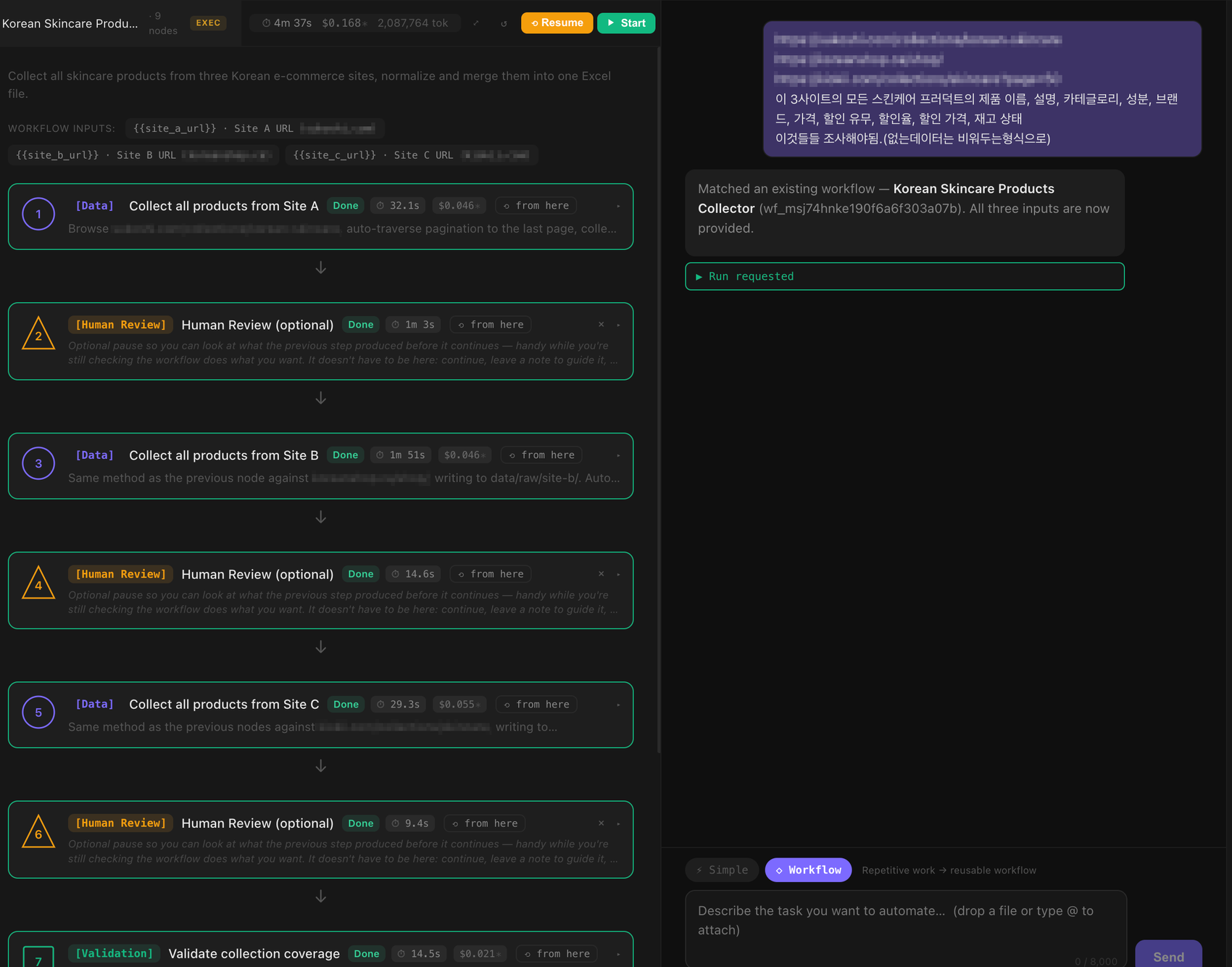
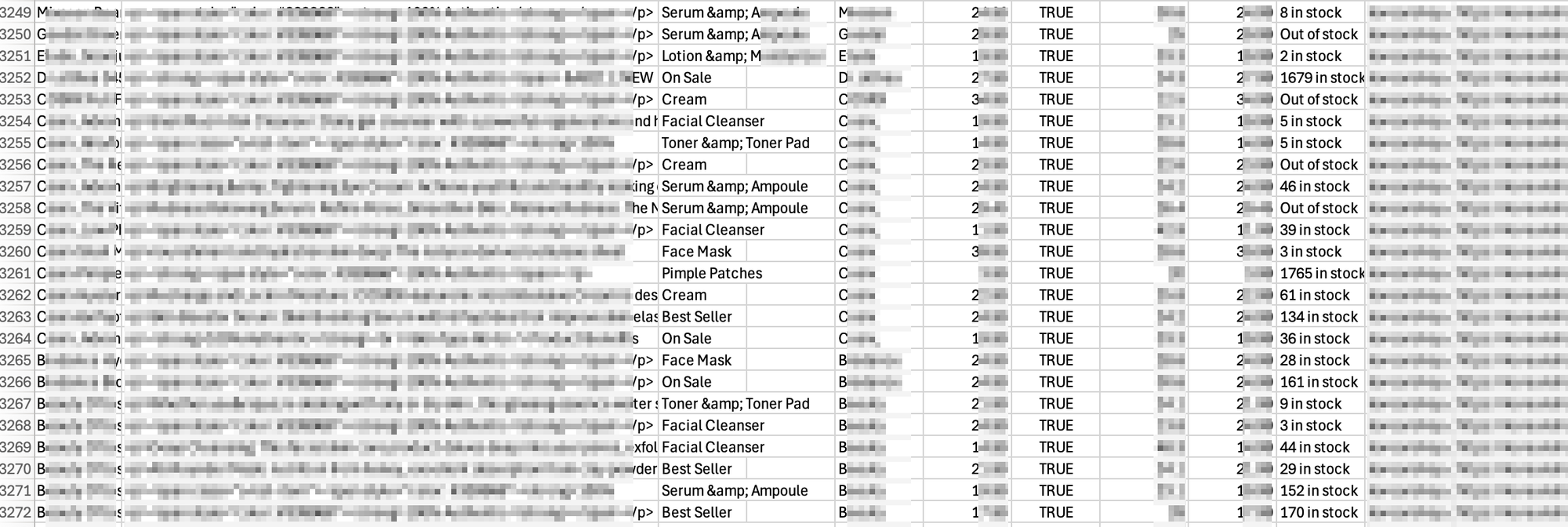
Scrapes 3 sites, normalizes 12 fields (name · ingredients · price · discount · stock · source · …), merges.
How you build one
You describe it, Twixy builds it
No code, no node graph to wire, no prompt to re-write next time. If you can explain it to a new hire, you can build it.
Say what you want
In plain language, in the chat panel. "Collect every skincare product from these three sites into one sheet."
Twixy writes the workflow
Your sentence becomes a saved, named, editable workflow — steps, inputs, checks. You can read it and change any step.
It runs for real
A real Chrome opens and does the work on your logins. The file lands when it's done.
Behind it there is a full workspace — chat, a workflow builder, agent teams, a skill library, a data panel. You do not need any of it to get your first file.
And then it repeats
Build it once, then it keeps going
You do not have to set the same task up again.
On a schedule
Daily, weekly, every six hours — it runs without anyone opening the app, and the file is there when you look.
For the whole team
Publish it and it appears in every teammate's workspace. They run the same thing with their own inputs.
With a history
Every change is versioned and reviewable, so improving a workflow never means losing the one that worked.
See it run on your own workflow.
Tell us the task your team repeats every week. We will show you the run and the file it produces.
Talk to usBefore you ask
Do I need to know how to code?
No. You describe what you want in chat, in ordinary language.
Where does my data live?
On your machine. Logins, client files and the browsing session stay local.
Is this just another chatbot?
No. It drives a real Chrome and gives you a file — a sheet, a deck, a brief, a draft.
What if the site needs a login?
It uses your own logged-in browser, so pages behind a login are reachable without an API.